
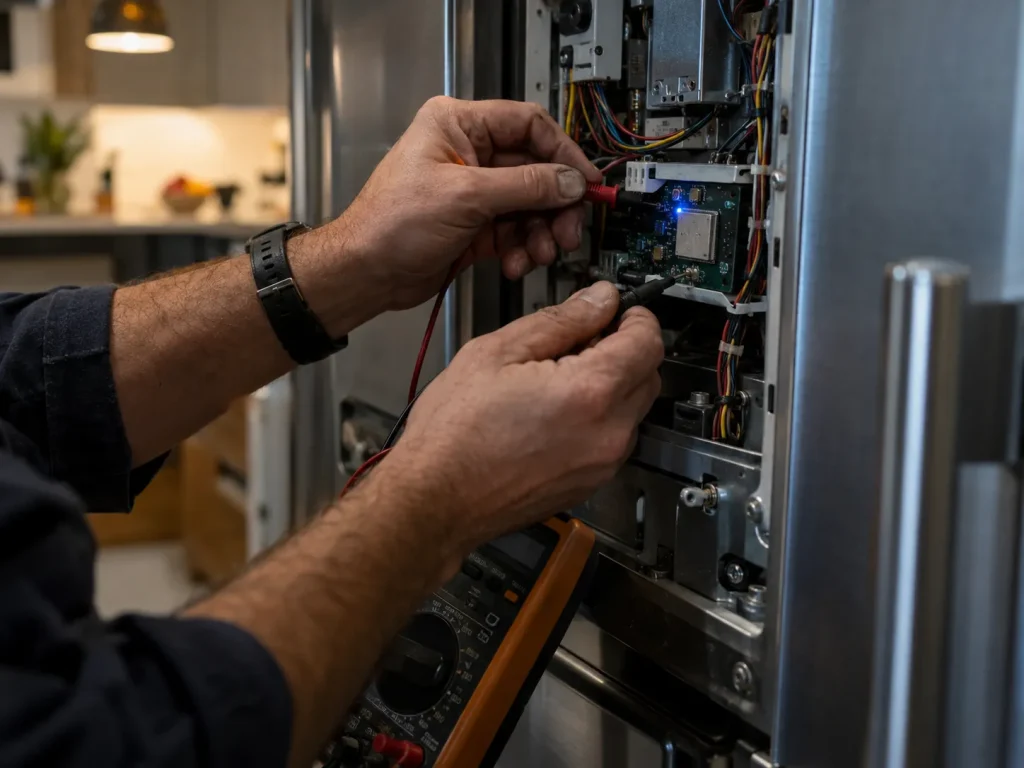
A smart, Wi-Fi-connected appliance is really two machines in one: the mechanical appliance you’re used to, plus a small wireless computer bolted onto it. When something goes wrong, figuring out which one failed, and fixing it, takes a different approach than a traditional repair call, and a lot of “broken” smart appliances turn out to be network problems rather than appliance problems at all.
Key Takeaways
- A connected appliance can fail two independent ways: a traditional mechanical or electrical fault, or a failure in its Wi-Fi module and firmware. The symptoms can look identical from the outside.
- Many “broken” smart features turn out to be network problems, not appliance problems: a changed Wi-Fi password, a new router, or a firmware update the appliance never received.
- Certain repairs, especially replacing a control board, disconnect the appliance from your home network and its manufacturer account, so re-pairing (and sometimes a factory reset) is often part of finishing the job.
- Having the manufacturer’s companion app installed, updated, and logged in before your appointment helps a technician see error history and diagnose faster.
In This Article
Two Systems, Two Ways to Fail
Every smart appliance still has the same core components as a standard one: a compressor, a heating element, a motor, sensors. On top of that, it also has a small radio module (usually Wi-Fi, sometimes Bluetooth or Zigbee) and firmware that runs the wireless connection and talks to the manufacturer’s cloud service. Those two systems can fail completely independently of each other. A smart refrigerator can keep cooling perfectly while its Wi-Fi module has stopped working entirely, and just as easily, a unit can stay connected to the app while a completely unrelated mechanical part fails. Firmware corruption in particular is a common failure mode that doesn’t show up on a standard mechanical diagnostic at all: the appliance runs fine, but the connected features stop responding.
Before You Call: Rule Out the Network First
A large share of “my smart appliance stopped working” calls turn out to be a network issue rather than an appliance fault, especially right after a router replacement, an internet outage, or a changed Wi-Fi password. It’s worth ruling this out first.
📶Quick Checks Before You Book a Repair
Restart the appliance and your router. Unplug both for about 30 seconds; this clears a surprising number of connectivity glitches.
Confirm your Wi-Fi network name and password haven’t changed. If you replaced your router recently, the appliance may still be looking for the old network.
Check the manufacturer’s app for an outage or account issue. Some “offline” messages are actually the manufacturer’s servers, not your appliance.
Check the appliance’s distance from your router. Wi-Fi modules in large metal appliances often have weaker range than a phone or laptop.
If the appliance still won’t reconnect after these checks, or if something is actually wrong mechanically, that’s when a service call makes sense.
What a Technician Actually Checks on a Connected Appliance
A connected-appliance diagnosis usually covers more ground than a traditional one. Beyond the standard mechanical and electrical checks, a technician working on a smart appliance will typically verify the control board’s diagnostic functions, confirm sensors are reporting correctly, check the firmware version against the latest available update, and try to isolate whether an issue is coming from the appliance’s hardware or from its network connection. That last step matters: a failed Wi-Fi module and a router that’s simply out of range can look identical from the appliance’s display, but they have completely different fixes.
Not sure if your smart appliance issue is mechanical or a connection problem?
Get a QuoteAfter the Repair: Re-Pairing and Resets
Certain repairs, especially replacing a control board or main electronic module, often clear the appliance’s saved network settings, since that’s frequently where the Wi-Fi radio and its stored credentials live. After a repair like that, plan on re-pairing the appliance to your home network and signing back into the manufacturer’s app. In some cases, a full factory reset is needed to clear a corrupted firmware state, which can also clear custom settings like saved cycles, notification preferences, or connected smart-home routines (for example, an Alexa or Google Home integration). It’s worth taking a screenshot of your current settings before a repair if you rely on them, so they’re easy to rebuild afterward.
Smart Appliance Brands and Ecosystems We See Most
Most of the connected appliances we work on in Black Diamond fall into a handful of ecosystems: Samsung’s SmartThings and Family Hub lineup, LG’s ThinQ app, GE Profile’s Connect features, and Whirlpool’s app-connected washers and dryers. Each manufacturer handles firmware updates, error logging, and reconnection slightly differently, which is part of why familiarity with your specific brand’s app and diagnostic quirks usually gets to the actual cause faster than a general troubleshooting checklist. If you already have brand-specific error codes to share, see our guide to Samsung refrigerator error codes for one example, since pulling those up before your appointment gives us a head start.
Frequently Asked Questions
Is a Wi-Fi connectivity problem covered under my appliance’s warranty?
It depends on the manufacturer and the specific warranty terms. Some treat the smart module as a covered electronic component, while others draw a narrower line around core mechanical parts. Check your appliance’s warranty documentation, or ask us to help you determine whether an issue looks like a hardware failure the warranty would likely cover.
Will resetting my smart appliance delete my settings?
A factory reset can clear saved cycles, notifications, and smart-home connections like Alexa or Google Home pairings, though it won’t affect the appliance’s core mechanical function. We’ll let you know before any reset if that’s part of the repair, so you can note your current settings first.
Can you fix the Wi-Fi connection without touching the rest of the appliance?
Often, yes. If the mechanical side of the appliance is working fine and the issue is isolated to connectivity, the fix may be as simple as a firmware update or a re-pair to your network, without opening up the appliance itself.
Do you need my home Wi-Fi working to diagnose the appliance?
Not for the mechanical diagnosis, but if the complaint involves the app or connected features specifically, having your network available lets us test the actual connection rather than just the appliance’s hardware in isolation.
Are smart appliance repairs more expensive than repairing a standard appliance?
The mechanical repair itself is priced the same either way. A connected diagnosis can take a little longer since there’s an extra system to check, but we’ll walk you through what we’re checking and give you a clear, itemized estimate before any work begins.
Written and reviewed by Complete Repair LLC. Our certified technicians repair both traditional and Wi-Fi-connected appliances across Black Diamond and the greater Seattle Metro Area, with transparent upfront pricing on every visit.
Smart appliance acting up?
Whether it’s a connectivity glitch or a real mechanical issue, Complete Repair LLC can diagnose it and give you a straight answer. We serve Black Diamond and the greater Seattle Metro Area.
Get a Quote